
Context
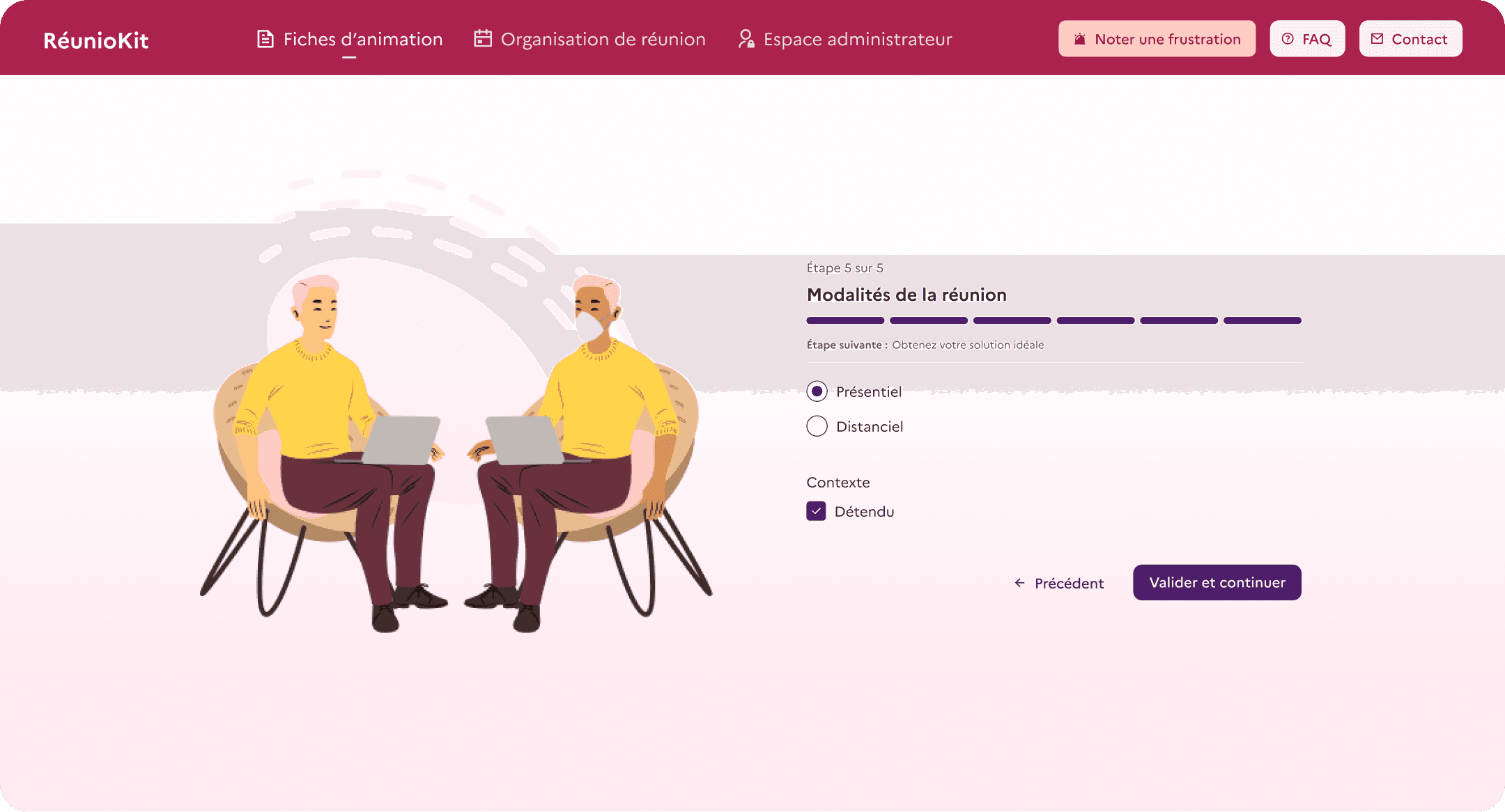
RéunioKit is a tool designed to help government employees organise and facilitate collective intelligence workshops. Based on selected criteria such as duration and number of participants, its algorithm recommends suitable methods and generates a workshop plan.
The Transformation Lab was tasked with turning a wireframe supplied by the client, Mission Innovation, into high-fidelity designs and developing an initial version. I did not contribute to the initial designs but I took sole ownership of the user research.
Designing interviews and usability tests
I was given access to a panel representing the tool’s initial target audience: employees with previous facilitation experience. Since no prior research had been conducted, I had two objectives: gain a better understanding of their current practices to ensure the product addressed genuine needs, and assess the usability of the interface from a functional perspective. I joined the project before launch, so no usage data was available. However, making the application easy to use and ensuring it met a genuine need would help drive adoption from the outset.
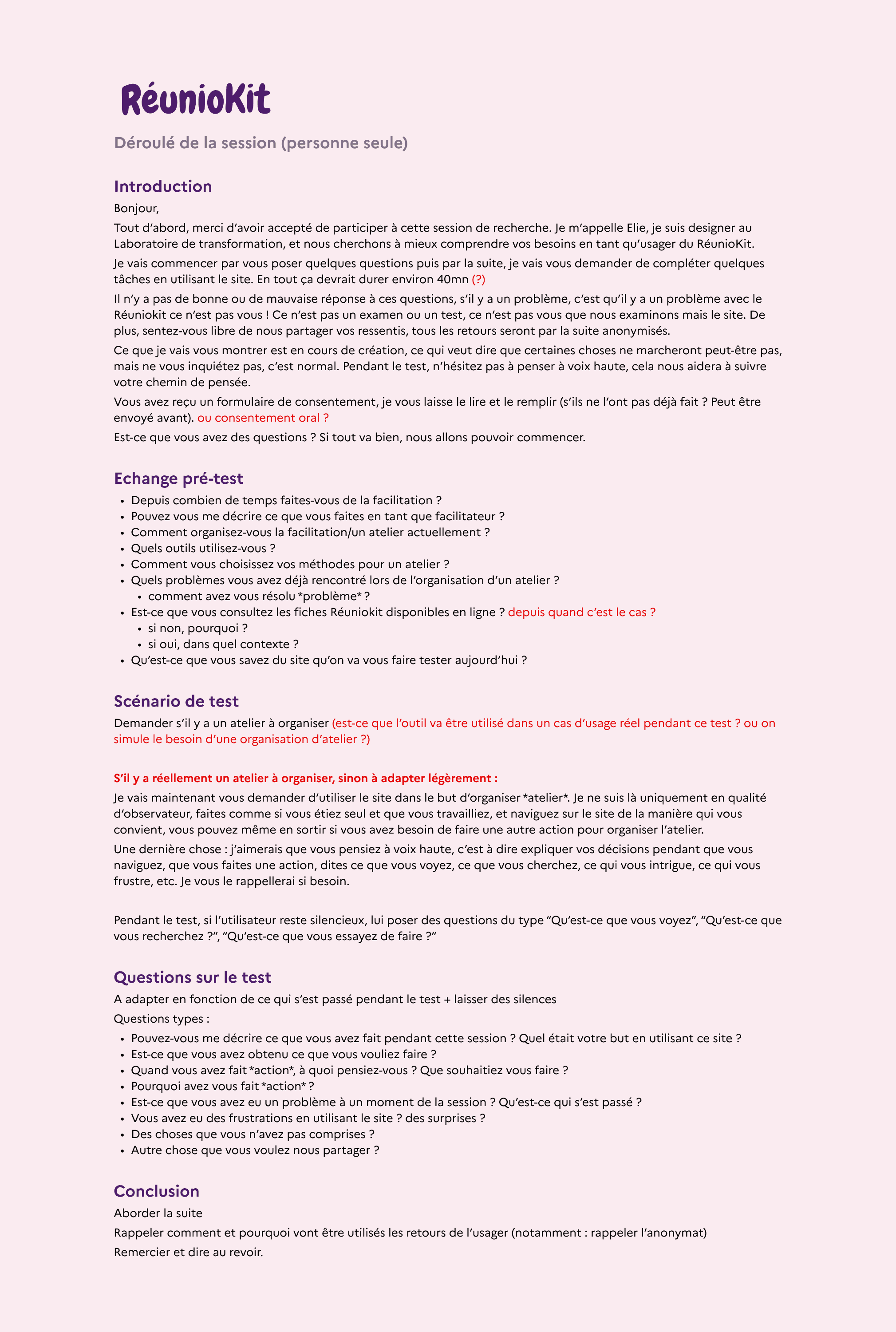
To achieve this, I wrote a moderated usability-testing protocol and a semi-structured interview guide, covering both objectives in the same session.
I wanted to assess:
Interview and testing process
Interview with the participant who will use the website
Current practices and general questions about the tasks involved in organising a workshop
Remote moderated usability test
Whenever possible, participants used the tool to create a workshop for a real-life scenario. I did not provide a task list, instead observing how they used the tool to achieve their goal. I only intervened if they encountered a significant obstacle. Participants were asked to think aloud so I could understand the reasoning behind each action, and the sessions were audio-recorded.
Follow-up questions about the usability test
I revisited anything participants had misunderstood, explored the reasoning behind their actions, and asked additional questions.
Analysing the data with Atomic Research
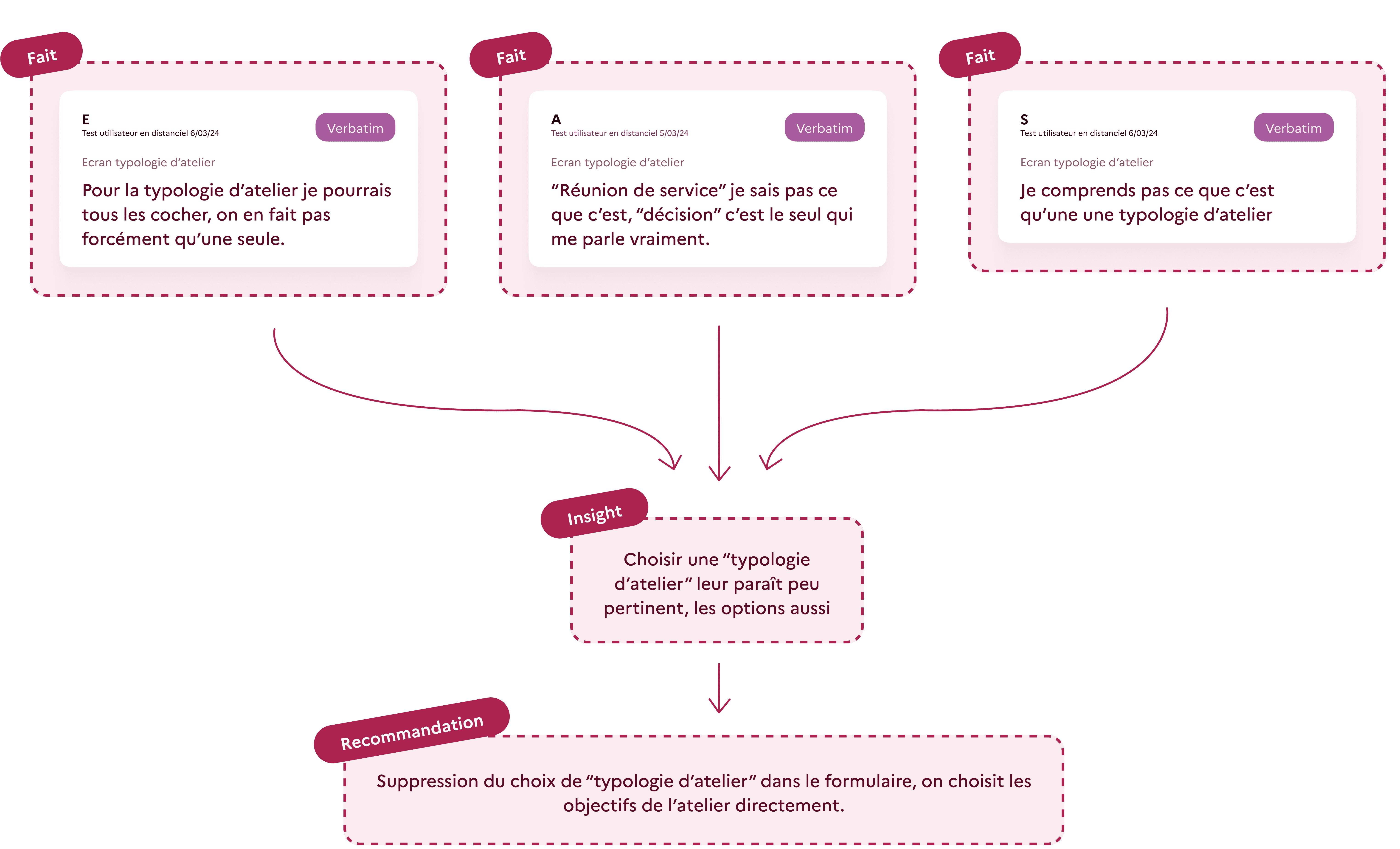
I needed to process different types of data quickly and organise them efficiently. To do this, I used Atomic Research, a method that breaks research down into individual facts gathered across different research activities.
1. Facts: transcribing the data
This included direct quotes from the interviews, participants’ actions within the application, and their think-aloud commentary. This information remains free from interpretation and can be reused in future research. I also created a reusable visual system for conducting Atomic Research, using components that were easy to adapt with Figma’s Component Properties.
2. Insights: grouping the facts
I then organised the data into several affinity groups, naming each one according to my interpretation of the facts. This made the problems identified during the research both clear and evidence-based.
3. Recommandations
For each insight, I proposed one or more solutions. I presented the research to the project sponsor and product team. Its visual format and grounding in clear evidence made the findings easy to understand and helped me build support for the recommendations.
Together, we prioritised improvements to the application using an impact-effort matrix, a visual tool that was well suited to quickly planning the next steps as a group.
A closer look at a specific example
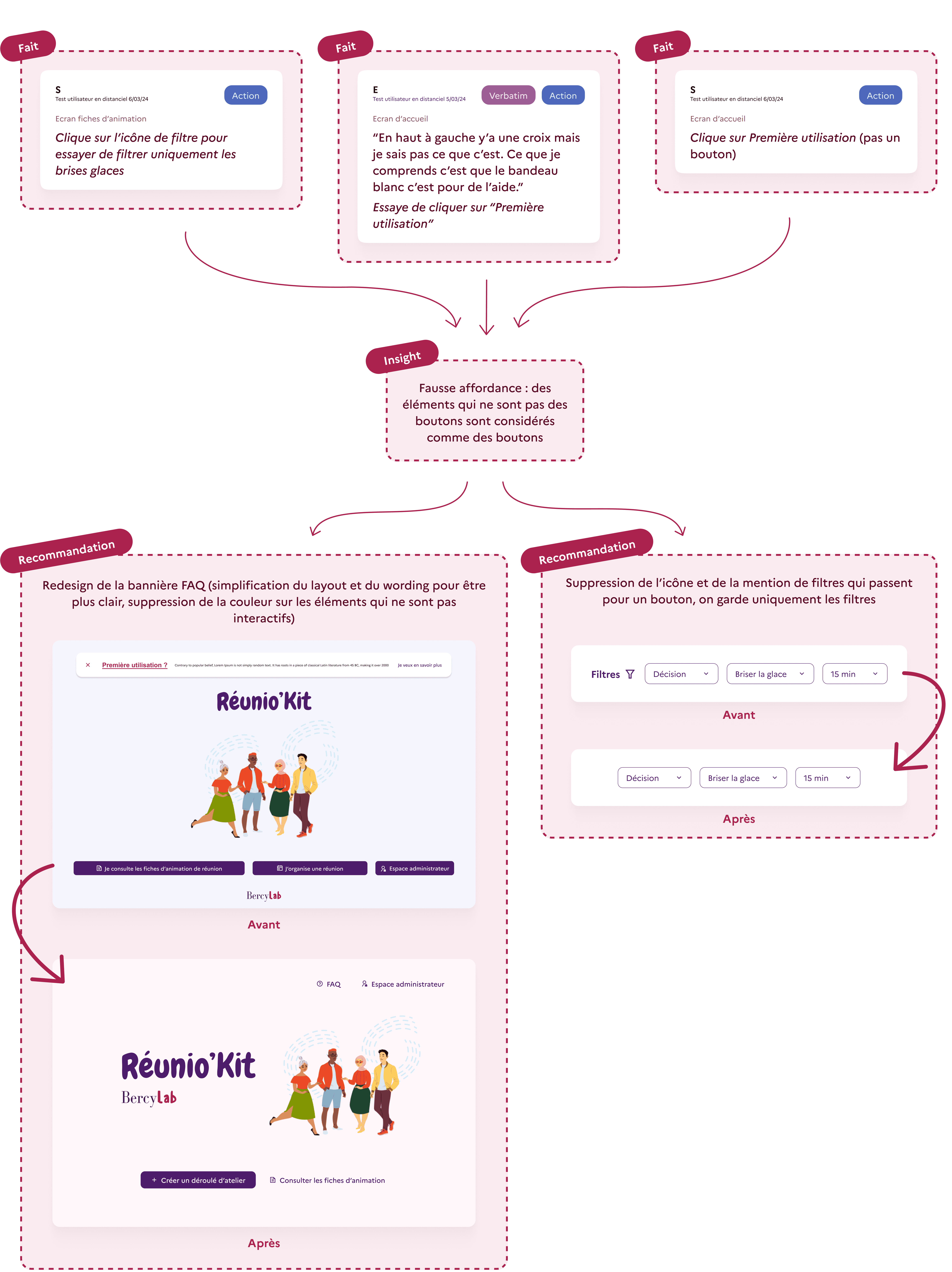
A closer look at a specific example
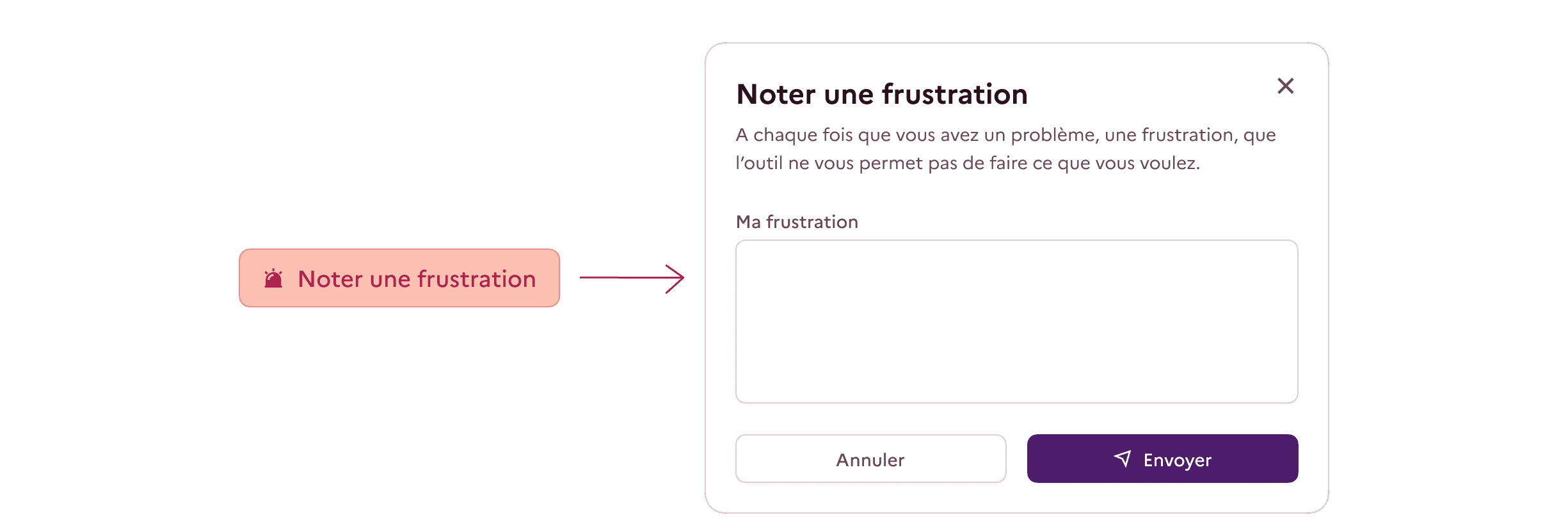
Feedback button
Ahead of the application’s launch, I also added a feature that I had previously introduced on the Ministry’s Index project.
Usability testing has its limitations, as it does not reflect broader, everyday use. As a complementary solution, I added a clearly visible “Report a frustration” button that makes it very easy to submit feedback. Over time, this will help us identify and resolve user experience issues.
Accessibility assessment of mockups
As I am trained in accessibility, I also assessed the designs created for the project, which were subsequently updated, against RGAA guidelines. Here are a few examples of my recommendations: